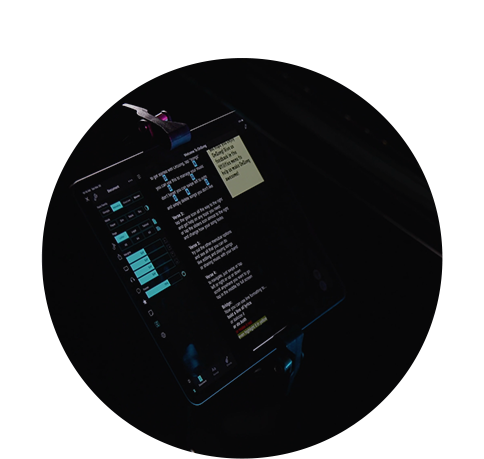
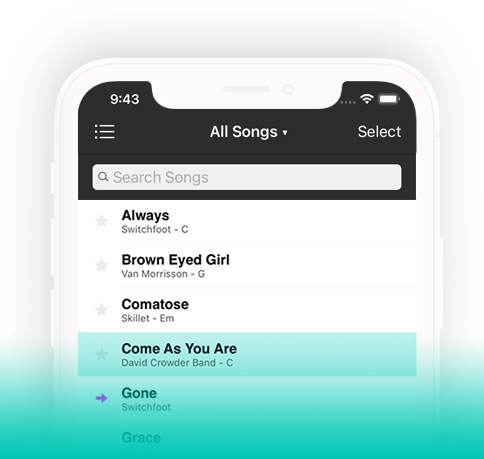
แอป OnSong® มีฟีเจอร์ที่ยอดเยี่ยมสำหรับนักดนตรีทุกคน ดาวน์โหลด OnSong 2026 ฟรี เพื่อเริ่มต้น เลือกแผนของคุณ สำหรับฟีเจอร์ที่คุณต้องการ

| คุณลักษณะ | คำอธิบาย | Free | Essentials | Premium |
|---|---|---|---|---|
| View | ||||
| Song Viewer | View files and text-based chord charts. | ✓ | ✓ | ✓ |
| Attachments | Import multiple types of files for one song and easily switch between them. | ✓ | ✓ | |
| Capo | See the chords you should play with a capo to hear the song in the selected key. | ✓ | ✓ | |
| Chords | Chord formatting and placement. | ✓ | ✓ | |
| Diagrams | View chord diagrams of your song for guitar, piano, ukulele, banjo, and more... | ✓ | ✓ | |
| Formatting | Change fonts, colors, and visibility. | ✓ | ✓ | |
| Low Light Mode | Choose how your app appears in dimly lit environments. | ✓ | ✓ | |
| Page Layout | Change page layouts and much more. | ✓ | ✓ | |
| Tint Colors | Customize how your charts look to reduce visual stress and increase readability. | ✓ | ✓ | |
| Transposing | Transpose and capo into the right key. | ✓ | ✓ | |
| Unlimited Songs | Import as many songs as you need into your library. | ✓ | ✓ | |
| Import | ||||
| Add To OnSong | Import content from any app including Safari websites. | ✓ | ✓ | ✓ |
| Dropbox | Native and built-in support for accessing files in your Dropbox account. | ✓ | ✓ | ✓ |
| Google Drive | Connect to your Google Drive account and import or export right inside of the app. | ✓ | ✓ | ✓ |
| Planning Center | Import service plans as sets including songs with attachments as sets. | ✓ | ✓ | ✓ |
| PraiseCharts | Import multiple types of sheet music and chord charts from this premier website. | ✓ | ✓ | ✓ |
| SongSelect | Import text-based and PDF chord sheets from CCLI SongSelect. | ✓ | ✓ | ✓ |
| WorshipReady.com | Subscription chord charts that are made just for OnSong. | ✓ | ✓ | ✓ |
| Document Scanner | Scan sheet music into PDF documents using your camera. | ✓ | ||
| Organize | ||||
| Books | Organize your songs using books. | ✓ | ✓ | |
| Icons | Use icons to organize your songs. | ✓ | ✓ | |
| Organizer | Place songs into sets, books and more while you view. | ✓ | ✓ | |
| Sets | Pull songs into sets for performing events. | ✓ | ✓ | |
| Topics | Browse by topics in lyrics and keywords. | ✓ | ✓ | |
| Annotate | ||||
| Sticky Notes | Place sticky notes on the page to jot notes. | ✓ | ||
| Clips | Paste pictures and images on the page. | ✓ | ||
| Drawing | Draw or highlight on your songs. | ✓ | ||
| Text Annotations | Break out of the box with text annotations. | ✓ | ||
| Navigate | ||||
| Actions | Perform actions when triggered by input. | ✓ | ✓ | |
| Audio Triggers | Perform actions based on the input of audio channels. | ✓ | ||
| Viewports | Focus in on a specific part of the song content. | ✓ | ||
| Advanced Actions | Expand your control of OnSong with more flexible and configurable actions. | ✓ | ||
| Voice Control | Navigate songs and perform actions with just your voice. | |||
| WordFlow™ | Technology that lets your music follow as you sing. | |||
| Perform | ||||
| Autoscroll | Automatically scroll from the top to bottom. | ✓ | ✓ | |
| Foot Pedals | Control your performance hands-free. | ✓ | ✓ | |
| Backing Tracks | Play and control backing tracks. | ✓ | ||
| Flow | Expand song content to repeat sections. | ✓ | ||
| Gears | Shift gears for more actions per foot pedal. | ✓ | ||
| Heads-Up Display | Customize your view of song information. | ✓ | ||
| Messages | Send messages to your team. | ✓ | ||
| Metronome | See and hear the beat of the song with a click track. | ✓ | ||
| Pitch | Play a pitch to help sing in the correct key. | ✓ | ||
| Quick Pick | Quickly search for songs on-the-fly. | ✓ | ||
| Ambient Pads | Key-matched ambient pads inspired by the Atmosophere pedal — designed by Aerospace Audio. | ✓ | ||
| MultiTracks | Import, mix, and play tracks with multiple channels for practice or performance. | ✓ | ||
| AuxDock™ | Perform live with guitar effects, keys, drums, and an advanced beat-synced player with stems. | |||
| Synesthesia | Output chords in color palettes according to tone. | |||
| Share | ||||
| Broadcasting | Record or stream lyrics to broadcasting apps installed on your device. | ✓ | ✓ | |
| Emailing | Email your band the set with file attachments. | ✓ | ✓ | |
| Exporting | Export songs and sets to online storage. | ✓ | ✓ | |
| Open In | Open content into other apps. | ✓ | ✓ | |
| Printing | Print out songs and lists using AirPrint-capable printers. | ✓ | ✓ | |
| Social | Share your set list or broadcast on social media. | ✓ | ✓ | |
| Beam | Send your song or set to your band wirelessly. | ✓ | ||
| Connect | Keep the whole band on the same page. | ✓ | ||
| Drive | Import and export files to shared storage. | ✓ | ✓ | |
| OnCue | Share wirelessly with the band. | ✓ | ||
| Advanced Email | Change the song list, content, and HTML template of the emails you send. | ✓ | ||
| Engage | ||||
| Lyrics Projection | Display lyrics on a projector or HDTV. | ✓ | ||
| Scenes | Control stage lighting and video backgrounds. | ✓ | ||
| Stage Lighting | Configure scenes and control your stage lighting wirelessly. | ✓ | ||
| Live Video | Perform live on camera with video effects | ✓ | ||
| Motion Backgrounds | Engage your audience with subtle video lyric backgrounds. | ✓ | ||
| Automate | ||||
| MIDI | Integrate and control your rig with MIDI. | ✓ | ||
| Stage Monitor | Display chord charts or lyrics on a virtual music stand. | ✓ | ||
| Timeline | Record and perform timed actions. | ✓ | ||
| Web API | Control OnSong devices and integrate all your software for live performance. | ✓ | ||
| ProPresenter | Control ProPresenter 7 right from OnSong as your perform. | ✓ | ||
| Vocal Cues | If you use in-ear monitors, have OnSong give verbal cues to the band while you're singing. | ✓ | ||
| Manage | ||||
| Backup | Don’t miss a beat by automatically backing up. | ✓ | ✓ | |
| Editing | Edit imported song content. | ✓ | ✓ | |
| Support | Standard support lets you send your library for review. | ✓ | ✓ | |
| Text Extraction | Extract text in images and PDF files into text-based chord charts. | ✓ | ✓ | |
| Libraries | Manage more than one library of music. | ✓ | ||
| Moments | Turn your sets into a full runsheet for your events. | ✓ | ||
| Personalization | Configure settings to make OnSong work for you. | ✓ | ||
| Song Reporting | Keep track of the songs you play. | ✓ | ||
| Console | Manage your library on a computer attached to your local network. | ✓ | ||
| Premium Support | Premium support gives you fast and immediate access to our support staff. | ✓ | ||
| ฟรี | $2/เดือน * | $5/เดือน * |
* ราคาที่แสดงเป็น USD สำหรับค่าใช้งานรายเดือนเมื่อจ่ายรายปี